
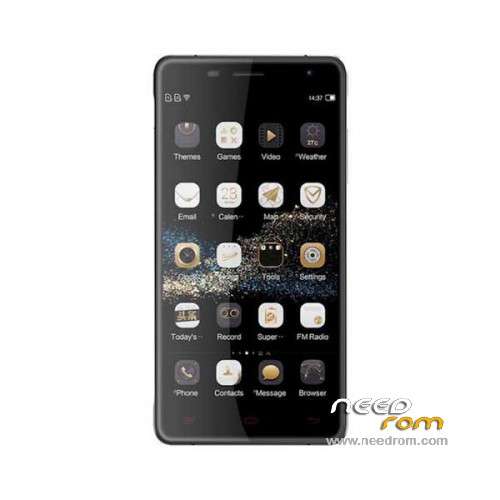
- Title: Oukitel K4000 Pro
- Listed: January, 2016
- Last modified: 06/03/2016 1:12 am
- Version: ROM Android 5.1
You must be logged for ROM download.
25600 total views, 3 today
25 Total favorites
 Member Info
DESCRIPTION
ROM Mobile Oukitel K4000 Pro – ROM Android 5.1
ONLY MT6735M
Update Official ROM Oukitel K4000 Pro version: OUKITEL_K4000_PRO_V9.0_20160526 – t89n-ts-t96-33pgu-hd-128g16g – full_hct6735m_35gu_l-user 5.1 LMY47D
—————————————————————————————————————————————————————————–
Update Official ROM Oukitel K4000 Pro version: OUKITEL_K4000_PRO_V6.0_20160201 – t89n-ts-t96-33pgu-hd-128g16g – full_hct6735m_35gu_l-user 5.1 LMY47D
—————————————————————————————————————————————————————————–
Official ROM Oukitel K4000 Pro version: OUKITEL_K4000_PRO_V4.0_20160106 – t89n-ts-t96-33pgu-hd-128g16g – full_hct6735m_35gu_l-user 5.1 LMY47D
Gapps include – No Rooted
Language support: Multilang
Install ROM:
Install with SP MDT:
1). Turn off the smartphone. Cable is not connected to the computer.
2). Remove the battery and insert it again
3). Connect your phone to a computer cable. The operating system detects a new device
4). Disconnect the cable from the computer.
5). Run SPMultiPortFlashDownloadProject.exe
6). Choose File> Open File Agent download and specify the file MTK_AllInOneDA.bin (it is in the folder SP_MDT).
7). Click Scatter File and select the MT6735M_Android_scatter.txt file (it's in the folder with the rom).
8). Click "Start all".
9). Connect your phone to a computer cable. The program should see and blink. If the phone is not detected, then unplug it from the computer,
remove and insert the battery (if the battery is removable) and reconnect it to the computer.
10). After (OK) click Stop and disable any phone.
11). Completed.
※Please make a backup of your device before installing or updating ROM
K4000 Pro at 6735P SOc. This firmware is suitable for him?
MT6735P = MT6735M – Same CPU.
Does anyone have Custom Recovery like CWM or TWRP for K4000 Pro?
Same question, also please post cm13 or cm12
what is TWRP? ' there's another firmware upgrade in here, that uses such a file.. I gave it a try but didnt work either..
https://www.needrom.com/downlo.....-pro-twrp3-0-0/
like this you mean?
https://www.needrom.com/downlo.....-pro-twrp3-0-0/
On windows 10 cannot detect the k4000 pro correctly…… big problem
Same problem and I cant download any software from Oukitel to resolve this.
I have messaged them on their various facebook pages, and again, with no reply.. Seems their back up service is total crap.
I recommend SP Flash Tool v5.1452 to flash this rom.
Any changelog?
not working for me.. cant figure out why?
Download fileSoCr@Te helpppppppppppppppppppppppppppppp lol..
Im getting this error message..
hmm, cant seem to upload an image.???
me the same problem did u fix it ?
Pack-SPMDT-v3.1544.00.00.rar > Tuto-problem-with-PORT-or-Checksum > SPMDT-PORT-Checksum.doc
SPMultiPortFlashDownloadProject.ini. Figure VII-X
SPMultiPortFlashDownloadProject.ini. Figure VII-X
set the "Type"> Firmware Upgrade
And can anyone tell me, whats the best procedure for this incase of bricking phone or if someting goes wrong with firmware update?
"※Please make a backup of your device before installing or updating ROM"
I have a question: exist a mode for not delate all memory (photos, musics and whatsapp)?
Yes, please check only system partition in flashtool update, you will maintain all apps and data